
REMOTE PHOTO SHOOTS
I love IRL shoots. I love the collaboration on set with the client. I love nerding out and getting the shot. I love the creativity that flies around in the air. That said, remote shoots have been a saving grace and can still yield amazing photography with that creativity still flies around. I can see this working for teams who can’t or aren’t ready to travel to the studio and gives us the opportunity to work with clients who aren’t in our backyard.
Pre-Production
All pre-production becomes more important than ever. Creative direction meetings, mood boards, open discussions, planning, itinerary planning - all of these meetings can be done over the phone or if you need to screenshare or show props, video conferencing works great. Any way you slice it, this piece of any shoot, remote or not, is critical, but with remote shoots, it’s even more imperative that everyone is confident in the plan.
Setting the Stage
I give my clients a clear “how this will work” set of instructions, both on the phone and in writing. This way they know what to expect from me and know I am accessible during the shoot as I would be if they were in studio.
How It Works
Outline the day with a call sheet, as an IRL shoot would have.
Create a video conference and share the link with the client. I make mine for 30 minutes before start time and 2 hours after wrap time.
The camera is tethered to my computer and the image displayed immediately.
Screenshare so the client can see each shot as it is coming into my computer
Audio is on so we can communicate throughout the shoot.
When I’m all setup and get a few shots that are worth sharing, I will either text or email the client to let them know they can open Zoom or just start talking.
Once we have a few shots to get going, we review as a team: shift camera angle, change the lights, adjusting until we get there.
I overshare - I tell the client exactly what I’m going to do so they know that I’m moving things around the set or have walked away for a moment to grab gear. Since they can’t see me, I don’t want them to feel like they’re flying blind, so I just tell them what’s happening on my side.
If I need to regroup or totally change the lighting setup for example, again, I over-communicate and let the client know they can pop off Zoom and I will text them when I’m ready and we can get back to it.
Each image that comes into the computer can be seen as it’s shot. This allows the client to take screenshots to share the image with other team members, I can zoom in to a specific piece of the image and show them something - whatever it is, it can be done just like if we were together looking at my computer.
Wrap
After we have produced the images from the shot list, we will go through them all, make sure we have everything, and then we wrap. A proofing gallery will be sent, the client can favorite their top picks and then we move into post-production editing and retouching.
Why Remote Photo Shoots Are Awesome
The beauty of a remote shoot is that clients can go about their day in and out of the shoot day, they can attend meetings while I’m shooting, they can pop in and see SOOC (straight out of camera) images and we can tweak, just like we would IRL.

Set for the holiday shots for Patz & Hall, the camera is tethered to the computer with the orange cable, the client can see the SOOC (straight out of camera) shots and we tweak as we go

Test shot on tethered computer that the client can see through Zoom screenshare

A final image from the remote photo shoot for Patz & Hall
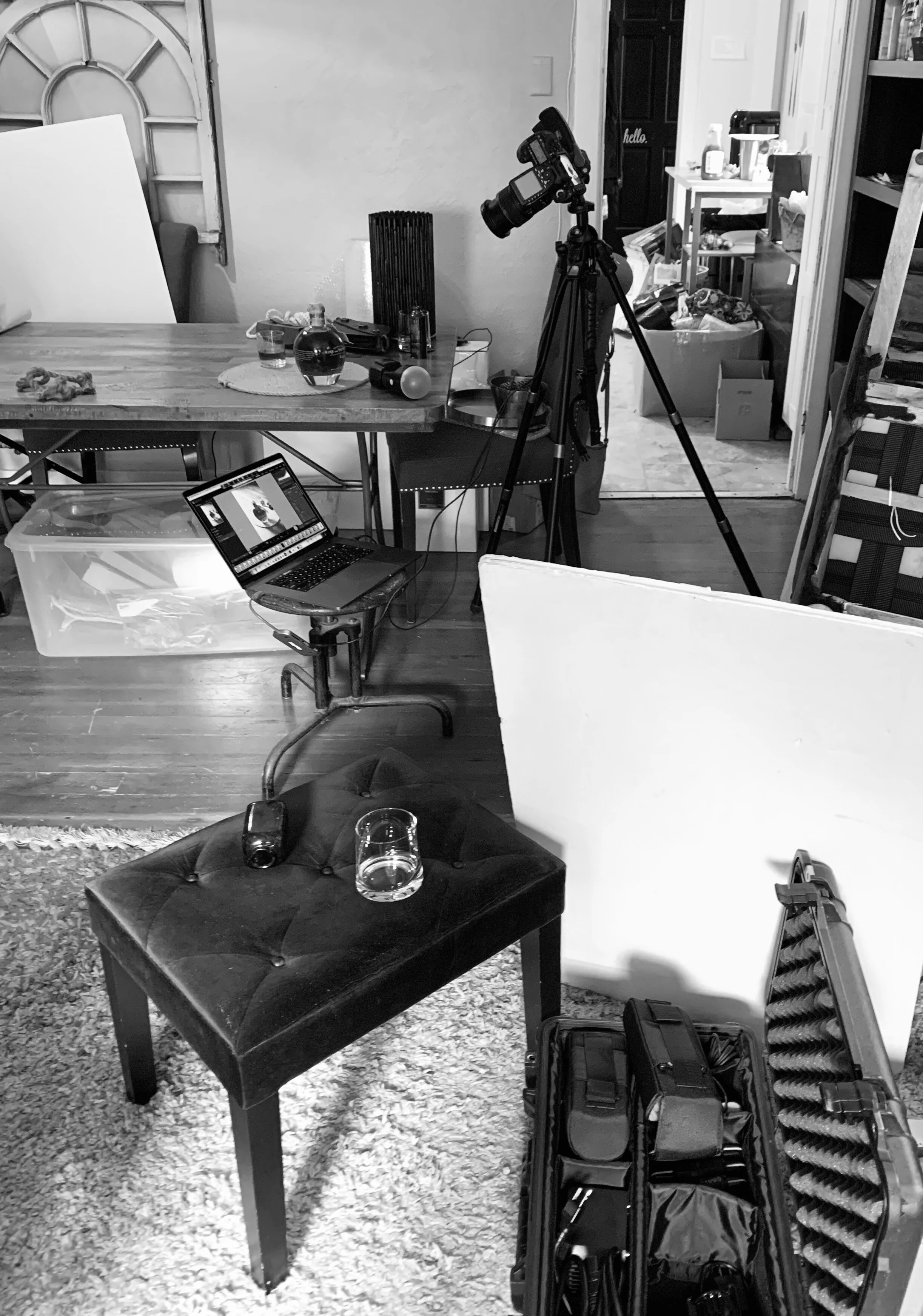
Remote photo shoot for Kirk & Sweeney Rum

Final photograph from the remote photo shoot